Finding the right video editing software can be tough, especially for beginners. But, in 2024, there are many easy-to-use options for all skill levels and budgets. This article will look at the top picks for beginners, including Adobe Premiere Elements, CyberLink PowerDirector, Apple iMovie, DaVinci Resolve, and Clipchamp.
Key Takeaways
- Discover the top video editing software options for beginners in 2024
- Understand the essential features and capabilities of beginner-friendly editors
- Learn about the varying price points and subscription models to fit your budget
- Explore both free and paid video editing software solutions
- Find the best video creation tools for your specific needs and skill level
Understanding Video Editing Software Essentials
Starting out in video editing means knowing the basics of software and hardware. The right tools can turn your raw footage into something amazing.
Key Features to Look for in Editing Software
Beginners need software with easy-to-use interfaces. Look for tools that offer basic editing and lots of effects. Key features include:
- Trimming, splicing, and arranging video clips
- Adding titles, transitions, and basic visual effects
- Adjusting audio levels and applying audio effects
- Exporting videos in common formats like MP4 and MOV
Hardware Requirements for Smooth Editing
Good editing needs the right computer hardware. You’ll need a fast processor, enough RAM, and a good graphics card. Here’s what you should look for:
| Component | Minimum Requirement | Recommended Specification |
|---|---|---|
| Processor | Intel Core i5 or AMD Ryzen 5 | Intel Core i7 or AMD Ryzen 7 |
| RAM | 8GB | 16GB or more |
| Graphics Card | NVIDIA GeForce GTX 1050 or AMD Radeon RX 560 | NVIDIA GeForce RTX 2060 or AMD Radeon RX 5700 XT |
Different Types of Editing Platforms
There are many types of video editing software. You can choose from desktop apps, mobile apps, or even web-based editors. Each type has its own benefits:
- Desktop Editors: These offer the most features and tools, perfect for pros.
- Mobile Editors: Great for editing on the go, with simpler tools.
- Browser-based Editors: Quick and easy to use, with basic tools.
Choosing the right platform depends on your skill level and project needs. Look at what each offers to find the best fit for you.
Adobe Premiere Elements: Perfect for Newcomers
Adobe Premiere Elements is a great choice for beginners. It’s a simplified version of Adobe Premiere Pro. It has a user-friendly interface and tools that guide you through editing.
It costs $99.99 for three years. You get access to AI-powered features and effects. This makes it easy to improve your videos. It also works well with other Adobe products like Photoshop Elements.
Premiere Elements has three editing modes: Quick, Guided, and Advanced. This means beginners can start with easy tutorials. Then, they can move to more advanced tools as they get better.
The 2025 version of Premiere Elements has new features. You get better audio editing, a big effects library, and easy sharing on social media.
Adobe Premiere Elements is great for vloggers, podcasters, or anyone who wants to edit their videos. It’s easy to use and affordable. With its AI tools and features, it’s perfect for beginners.
CyberLink PowerDirector: Balancing Power and Simplicity
CyberLink PowerDirector is a standout in the world of video editing. It’s a video editing suite that’s both powerful and easy to use. It’s perfect for beginners and experienced creators alike, thanks to its simple yet advanced features.
User Interface and Navigation
The interface of CyberLink PowerDirector is easy to get around. It has different editing modes for all skill levels. Whether you’re making a slideshow or a full-fledged video, it’s all easy to do.
Advanced Features for Growing Skills
As you get better at video editing, CyberLink PowerDirector has lots of advanced features to help you. You can use motion tracking, color grading, and even stop-motion. It lets you keep learning and growing with the software.
Performance and Rendering Capabilities of Video Editing Software
CyberLink PowerDirector is fast and powerful. It supports 360-degree VR, 4K Ultra HD, and 3D media. This means you can make amazing videos easily. Plus, it renders quickly, so you can work on complex projects without any hassle.
CyberLink PowerDirector is a great choice for anyone who wants to make videos. It has lots of features and is easy to use. It’s perfect for anyone looking to improve their video-making skills.
Apple iMovie: Free Solution for Mac Users
For Mac users, Apple iMovie is a great, free video editing tool. It’s easy to use, perfect for beginners. It’s a good place to start learning about video editing.
iMovie comes with basic editing tools like chroma-keying and audio filters. It only has two video tracks, but it’s great for making videos. You can create everything from home movies to social media clips.
One big plus of Apple iMovie is how well it works with other Apple products. You can easily add footage from your iPhone or GoPro. It also supports up to 4K video, so your videos will look great.
| Feature | Capability |
|---|---|
| Video Tracks | 2 |
| Supported Resolutions | Up to 4K |
| Supported Framerates | Up to 60 fps |
| Chroma-keying | Yes |
| Picture-in-Picture | Yes |
| Audio Editing | Yes |
iMovie might not have all the features of Final Cut Pro. But it’s a good starting point for Mac users. It’s easy to use and helps you make great videos without spending a lot of money.
Video Editing Software Price Comparison
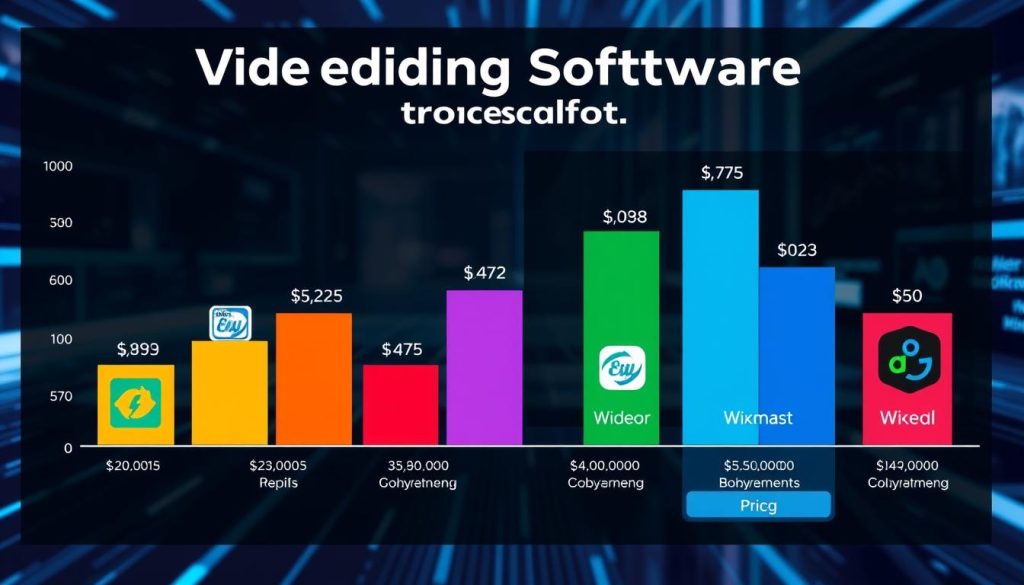
Video editing software prices vary a lot. You can find free options, subscription plans, and one-time buys. Each has its own cost and benefits.
Free vs Paid Options
About 29% of top video editing software is free. DaVinci Resolve is a great example, offering pro features without extra costs. Paid software like Adobe Premiere Pro ($21.99/month or $34.49/month) and Final Cut Pro ($299.99) have more tools and work well with other apps.
Subscription vs One-Time Purchase Models using Video Editing Software
More video editing software now uses subscriptions. Adobe Premiere Pro is a good example. But DaVinci Resolve Studio is available for a one-time buy at $295. Wondershare Filmora offers both subscription and one-time purchase, meeting different needs and budgets.
| Software | Pricing Model | Cost |
|---|---|---|
| Adobe Premiere Pro | Subscription | $21.99/month (billed annually) or $34.49/month (billed monthly) |
| DaVinci Resolve Studio | One-Time Purchase | $295 |
| Final Cut Pro | One-Time Purchase | $299.99 |
| Wondershare Filmora | Subscription or One-Time Purchase | $49.99/quarter or $79.99 single-platform lifetime |
Whether you like subscriptions or one-time buys, there’s a video editing software for you. It fits your budget and needs.
DaVinci Resolve: Professional-Grade Free Option
If you’re new to video editing, DaVinci Resolve is a great choice. It’s free and offers top-notch color grading. This software has all the tools you need for editing, color correction, and audio work.
The free version of DaVinci Resolve is packed with features. You get everything from basic editing tools to advanced effects and audio editing. It’s perfect for beginners who want to improve their skills.
However, DaVinci Resolve can be a bit harder to learn. But its depth and versatility are worth the effort. It has seven working pages for editing, color, and sound, making it easy to work with others.
DaVinci Resolve shines in color grading. Its tools help you create stunning, movie-like visuals. It’s a favorite among filmmakers and YouTubers who want top-quality images.
Even though the free version has some limits, like no 10-bit video export, DaVinci Resolve is still a great deal. It offers a lot of value for beginners and pros. Its features, collaboration tools, and color grading make it a top choice for free video editing software.
Clipchamp: Browser-Based Editing Made Simple
Clipchamp is a top choice for video editing, perfect for both newbies and experienced vloggers. It’s a browser-based platform with lots of features. You can easily make videos for social media and find many templates to help you.
Social Media Integration Features
Clipchamp makes it easy to share your videos on YouTube, Instagram, and TikTok. It has a huge collection of social media templates. This means you can make videos fast and look great on social media.
Template Library and Assets
Clipchamp has a huge template library full of ideas and starting points. With over 4.8 stars from over 1,000 reviews, you’ll find many templates for different types of videos. Plus, there’s a big library of stock media to make your videos even better.
Whether you’re just starting or have been making videos for a while, Clipchamp makes editing easy. Its AI, simple design, and great social media tools make it a great choice for anyone wanting to improve their video skills.
Wondershare Filmora: User-Friendly Interface
Wondershare Filmora is known for its easy-to-use editor and powerful tools. It has AI features, a big stock media library, and flexible pricing. It’s perfect for beginners who want a simple yet strong video editing tool.
Filmora version 14 brings new features like Smart Short Clip and AI Video Enhancer. It also has Smart Scene Cut, Multi-Camera Editing, and Planar Tracking. Its user-friendly design makes it great for both new and experienced editors.
Filmora offers many video effects, countdown videos, and royalty-free music and sound effects. It helps users make their videos look professional. Whether for social media, YouTube, or personal projects, Filmora is a top choice in video editing software.